
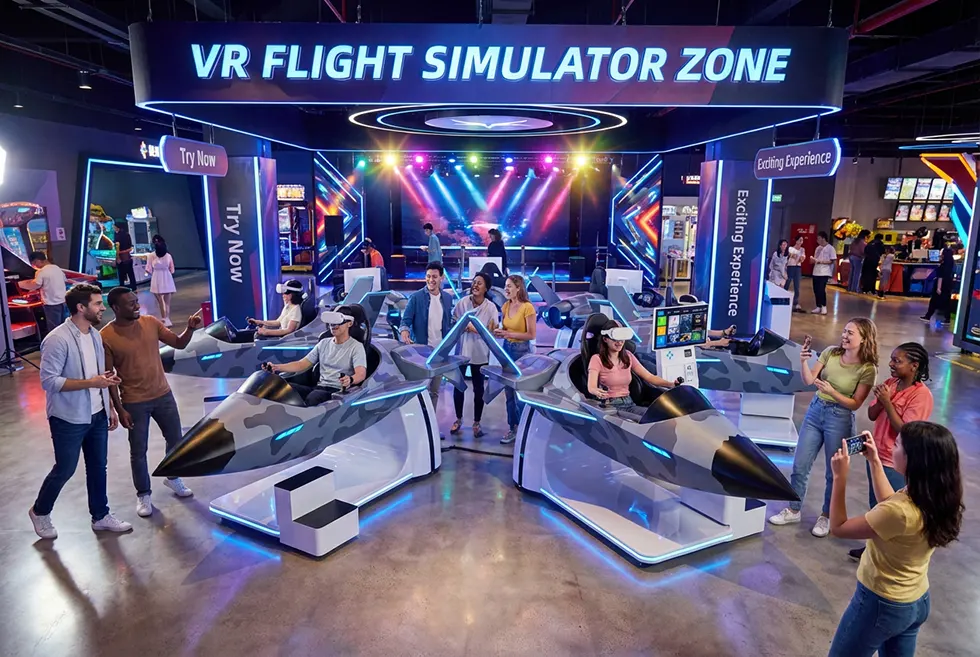
A VR flying simulator is more than a game – it is a complete virtual cockpit that lets players feel take-off, banking, turbulence, and landing as if they were real pilots. With high-definition visuals, motion platforms, and interactive cockpit controls, players experience realistic aerial adventures in a safe, controlled environment.
For operators of VR arcades, FECs, theme parks, shopping malls, and experience centers, a well-designed VR flying simulator can quickly become a signature attraction: high replay value, strong word-of-mouth, and repeat visits.
Levao’s VR Flying Simulator solutions are designed specifically for commercial use – stable, safe, easy to maintain, and optimized for long-term revenue.
This guide will explain:
How a VR flying simulator creates a realistic cockpit experience
Why players prefer VR flight simulators over regular screen-based games
Essential hardware and setup tips for operators
Common problems and practical fixes
How to use VR flying simulators to boost engagement and income
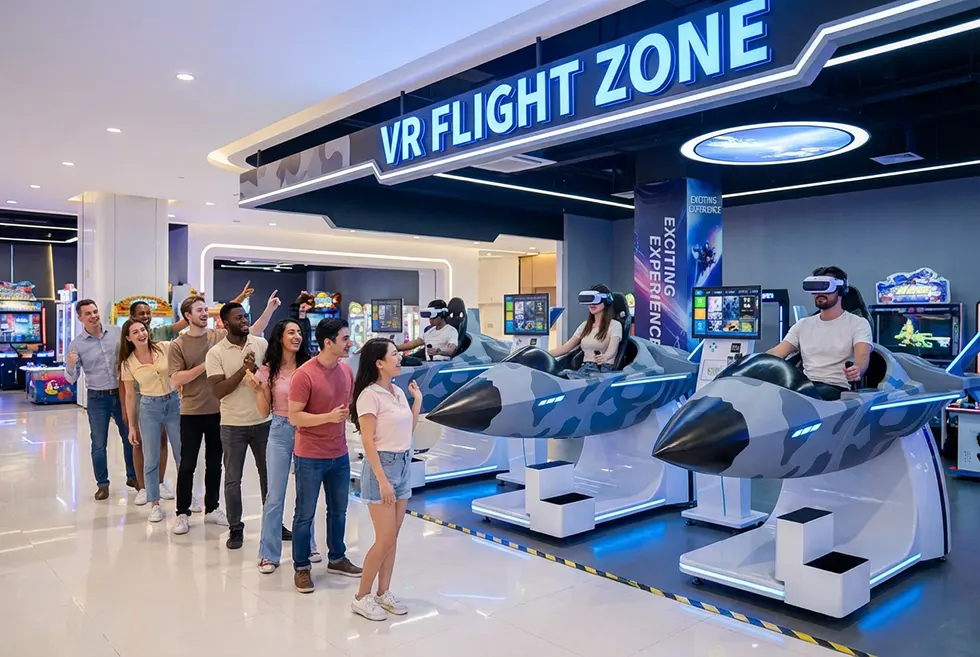
What Is a VR Flying Simulator?
A VR flying simulator (also called a VR flight simulator or 9D VR flying simulator) combines:
A motion platform or motion chair
A VR headset with wide field of view
A cockpit-style seat and flight controls
Professional simulation software
Together, these components simulate take-off, flight, turbulence, and landing. Players can fly solo, race friends, or complete missions in different weather, airports, and aircraft types – all inside a virtual environment that feels believable and exciting.
How VR Flying Simulators Create a Realistic Cockpit Experience
1. Motion Platform: Feel Every Turn and Drop
Players sit in a motion seat that tilts, vibrates, and reacts to the in-game aircraft:
Pitch and roll when the plane climbs, banks, or dives
Subtle vibrations for engine power, runway contact, or turbulence
Stronger jolts during rough landings or sharp maneuvers
This full-body feedback connects what players see in the headset with what they feel in the seat, greatly reducing the gap between virtual and real.
2. Immersive Visuals and Cockpit Layout
High-resolution VR headsets display:
Detailed cockpit panels, dials, and indicators
Realistic skies, clouds, cities, and landscapes
360° viewing angles so players can naturally look around
Instead of watching a flat screen, players sit “inside” the aircraft, checking instruments, looking out the window, or tracking other planes.
3. Spatial Audio That Reacts to Flight
Sound design is a key part of immersion. A good VR flying simulator reacts to every maneuver with:
Engine sounds that change with speed and throttle
Wind noise, rain, and storm effects
Warning alarms and cockpit beeps during risky situations
When motion, visuals, and audio all match, players quickly forget they are in a game – they feel like pilots.
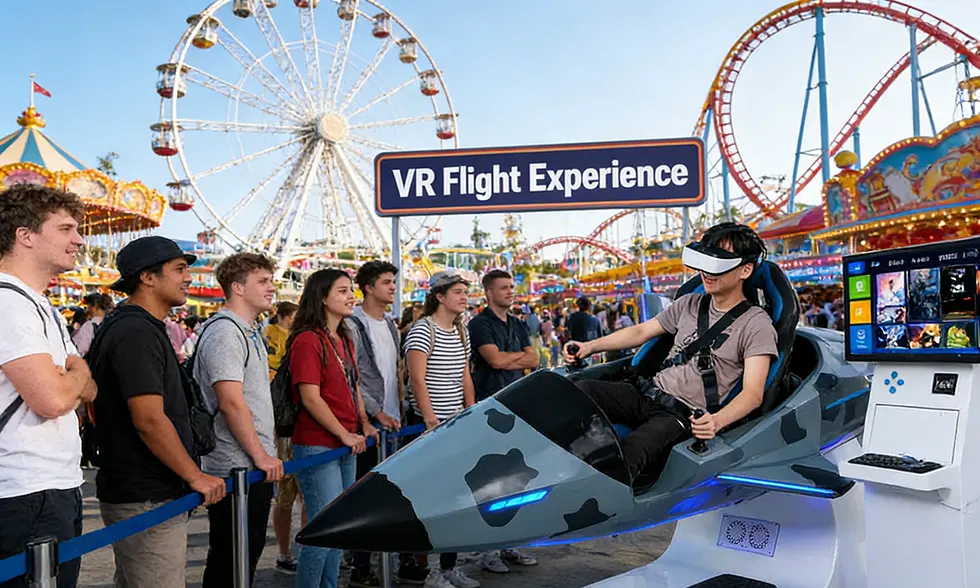
Why Players Prefer VR Flying Simulator Over Regular Games
Traditional racing or flying games on flat screens cannot fully reproduce:
The depth of a real cockpit
The physical movement of flight
The 360° freedom to look around and react
VR flying simulators are different:
True 360° Presence
Players move their heads naturally, check both sides, look up at the sky, or down at the ground. This makes every flight unique.Safe Way to Experience “Risky” Situations
Storms, night flights, engine problems, or emergency landings can be simulated without any real danger. Players enjoy intense scenarios in complete safety.Personalized Missions and Difficulty
Beginners can start with simple take-off and landing tasks. Experienced players or aviation fans can choose complex missions, longer routes, or more realistic physics. Each session is tailored to the player’s level, which keeps them engaged longer and encourages repeat visits.
For operators, this means higher dwell time, more replays, and stronger word-of-mouth than many ordinary arcade machines.
Essential Equipment for Smooth VR Flying Simulator Operation
To keep a commercial VR flying simulator running safely and smoothly, operators should pay attention to four core elements:
1. Motion Platform and Cockpit Seat
Place the motion platform on a stable, level surface
Ensure there is enough space for movement and safe entry/exit
Regularly check seat belts, armrests, and footrests
Incorrect positioning or loose hardware can cause discomfort, motion sickness, or safety risks.
2. VR Headset and Tracking System
Adjust the headset for each player’s head size and IPD (pupil distance)
Clean lenses between sessions to avoid blurred vision
Use calibrated cameras or inside-out tracking to ensure accurate movement detection
Well-maintained headsets and properly placed sensors dramatically reduce tracking errors and improve comfort.
3. Control System and Software
Keep all drivers and simulation software up to date
Apply official patches that improve performance and stability
Periodically back up configuration files and mission settings
Software updates often bring new aircraft, missions, and effects, extending the life cycle of the machine.
4. Staff Training and Operating Procedures
Train staff to:
Help players wear the headset and seat belts correctly
Explain basic controls in a simple way
Monitor players’ reactions, especially first-timers or children
Pause the system immediately if someone feels unwell
A trained operator ensures both safety and smooth customer flow, especially during busy hours.
Common VR Flying Simulator Problems and Practical Fixes
Even high-quality commercial VR equipment needs regular care. Here are typical issues and how to solve them:
1. Motion Lag or Delay
Symptoms: The seat moves slightly after the visual, causing discomfort or motion sickness.
Fixes for operators:
Re-calibrate tracking sensors and motion platform
Close unnecessary background software on the PC
Check network and data cables for loose connections
Keep graphics drivers and simulator software updated
Smooth synchronization between visuals and motion is critical for realism.
2. Blurry or Flickering Display
Symptoms: Players complain that the image is unclear, double, or flickering.
Fixes:
Clean VR lenses with proper lens cloth
Adjust the headset straps so it sits firmly and at the correct angle
Re-run headset calibration or guardian/boundary setup
Check HDMI/DisplayPort cables and PC GPU output
Small adjustments in headset fit can significantly improve visual comfort.
3. Mechanical Wear and Reduced Immersion
Symptoms: Movements feel weaker, noisy, or less precise over time.
Fixes:
Inspect moving joints and actuators for signs of wear
Lubricate mechanical parts according to the manufacturer’s schedule
Replace worn components before they fail
Tighten loose screws and brackets regularly
Treat your VR flying simulator like a professional attraction, not just a toy – preventive maintenance is cheaper than downtime.
How VR Flying Simulator Boosts Player Engagement
A well-designed VR flight simulator keeps players coming back:
Varied Missions – racing through canyons, landing in storms, flying over famous cities, or completing rescue missions
Co-op and Competitive Modes – friends can fly together or race each other for best time and score
Clear Goals and Achievements – ranks, badges, and mission progress encourage players to “try one more time”
For operators, introducing:
Leaderboards on screens near the attraction
Social sharing (photos or short clips from the flight)
Special events such as “Ace Pilot Challenge Day”
can significantly increase engagement, repeat visits, and group bookings.
How VR Flying Simulator Increases Revenue for Operators
A commercial VR flying simulator is not only an eye-catching attraction – it’s also a flexible revenue generator.
1. Longer and Higher-Value Sessions
Because VR flight is intense and immersive, players are often willing to:
Pay more per session than for standard arcade games
Extend playtime to finish missions or beat their previous records
This leads to more ticket income per player.
2. Group Events and Corporate Bookings
VR flying simulators are popular for:
Corporate team-building events
School and educational visits
Birthday parties and family groups
Bundled packages (e.g., “Flight Night,” “Pilot Training Camp”) can significantly lift average spending.
3. Cross-Selling Other Attractions
Once players are drawn in by the VR flying simulator, operators can:
Recommend other VR simulators or arcade machines
Offer package tickets or combo deals
Create loyalty programs with points or discounts for repeat customers
Tiered pricing (standard, premium, and VIP experiences), seasonal mission updates, and limited-time events keep the experience fresh and encourage higher spending.
Get Reliable VR Flying Simulator Solutions from Levao
As a professional manufacturer of commercial VR game machines, Levao provides complete VR flying simulator solutions for venues around the world.
With Levao, operators benefit from:
Industrial-grade motion platforms designed for 7-day-a-week operation
Precise tracking and realistic cockpit controls that match real flight behavior
Optimized game content for short, replayable sessions and high turnover
Simple installation and clear on-site layout guidance
Staff training, remote technical support, and regular software updates
Whether you are opening a new VR arcade or upgrading an existing venue, Levao VR Flying Simulators are built to deliver:
Stable performance and long equipment life
Maximum player engagement and satisfaction
Fast payback period and sustainable revenue growth
If you are planning to add a commercial VR flying simulator to your business, talk to Levao’s team for a tailored solution based on your space, budget, and target customers.
FAQ: Commercial VR Flying Simulator for Operators
1. What is a commercial VR flying simulator and who is it for?
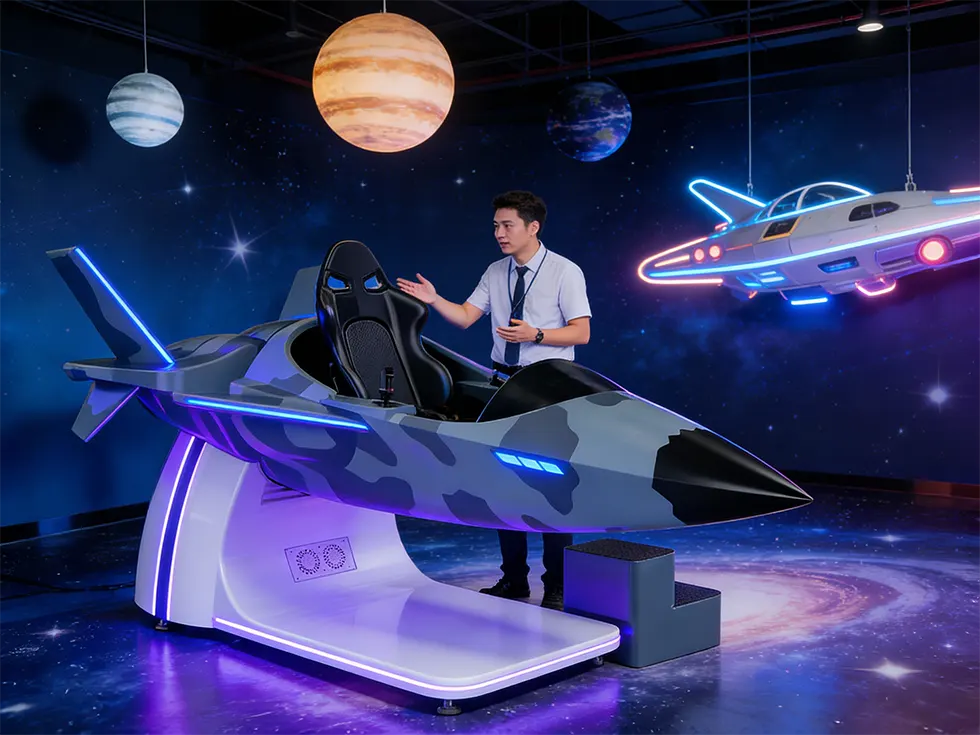
A commercial VR flying simulator is a professional VR attraction built for arcades, FECs, shopping malls, theme parks and VR experience centers, not for home use. It combines a motion platform, VR headset, cockpit seat and simulation software to deliver realistic flight experiences with high throughput, strong replay value and stable revenue for operators.
2. How much space do I need for a VR flight simulator?
Space requirements depend on the model, but most commercial VR flight simulators need:
A stable, level area for the motion platform
Safe entry and exit space around the seat
Room for staff to assist players and manage queues
In general, plan at least one dedicated zone with clear floor markings and power/network access. Levao’s team can provide layout suggestions based on your floor plan.
3. How fast can a VR flying simulator pay for itself?
Payback time depends on ticket price, player volume, and opening hours. In busy venues, a well-promoted 9D VR flight simulator can often reach payback within several months to around one year, especially when you:
Offer group packages and events
Combine it with other VR attractions
Use leaderboards and promotions to increase repeat plays
Levao can help you estimate ROI based on your local traffic and pricing strategy.